What A Pool Automation System Can Do: Heat, Lights, Pumps, And More
A Pool Automation System Guide can completely change how you manage your pool day to day—especially when you’re juggling work, family, and everything else. Instead of walking out to the equipment pad to flip switches, adjust timers, or troubleshoot settings, automation brings your pump, heater, lights, and water features into one centralized control hub. With a phone app or wall panel, you can schedule run times, fine-tune temperatures, and even set scenes for lighting and spa mode, all without guesswork.
“But here’s the real question: if you could control your pool’s heat, lights, pumps, and more from anywhere, would you still run it the old way?”
For many pool owners, the answer becomes obvious after they see how much time automation saves and how consistent the results feel—cleaner water, steadier temperatures, and fewer “something’s not running” surprises.
In this guide, we’ll break down exactly what a pool automation system can control, how each feature works, and what you should consider if you’re thinking about upgrading your pool setup.
Key Takeaways
- Centralized control simplifies pool management.
- Schedule pumps, heat, lights easily.
- Remote access adds convenience anywhere.
- Compatibility matters before choosing systems.
- Professional setup ensures optimal performance.
Pool Automation Basics: What It Is And How It Works
A pool automation system is a centralized controller that connects to multiple pieces of pool equipment—typically through relays, data connections, and valve actuators—so they can operate on schedules or with one-touch commands. Instead of manually turning equipment on and off and trying to coordinate timing, automation lets you set rules like “run the pump at this time,” “heat to this temperature,” or “turn lights on at sunset.” Many modern systems also provide a phone app interface, but the core concept is the same: one control hub that manages multiple pool functions reliably.
In practical terms, automation works by switching power to certain devices (like lights or a single-speed pump) and communicating digitally with others (like many variable-speed pumps and some heaters) when compatible. It can also coordinate valve positions to switch between pool and spa mode, or to route water to features like waterfalls. The “smart” part comes from scheduling and coordination—making sure circulation, heating, and features run in the right order—so the pool behaves consistently with less manual effort.
What Pool Automation Can Control
Pool automation is often described as “controlling everything,” but the factual reality is that capabilities depend on the system model and whether your equipment is compatible. Most automation setups can control common functions such as pump schedules, heating, lighting, and certain water features, while more advanced setups can add valve control, chemical automation integration, and equipment status feedback. The goal isn’t just convenience—it’s coordinated operation, where the pump, heater, and valves work together so the pool runs safely and predictably.
Below is a practical overview of common pool components and what automation typically does for them. Exact features vary by brand and equipment, so this is best used as a checklist for what to ask about during selection and installation.
| Pool Component | What Automation Commonly Controls | What Usually Needs To Be In Place |
|---|---|---|
| Pump (Single-Speed) | On/off scheduling, run-time windows | Relay control sized correctly for the load |
| Pump (Variable-Speed) | Speed schedules, timed speed changes, modes | Compatible pump + communication link or interface |
| Heater (Gas Or Heat Pump) | Temperature setpoints, heat schedules, pool/spa targets | Heater that supports external control + correct wiring |
| Pool Lights | On/off schedules, timed scenes | Relay control; for color LEDs, compatible control method |
| Spa/Pool Valves | Switch between pool and spa circulation | Valve actuators + automation valve outputs |
| Water Features | On/off control, timed run windows | Relays and/or valve control depending on plumbing design |
Pump Control And Run Scheduling
Pump scheduling is one of the most useful and widely adopted automation benefits because circulation is the backbone of clean, stable pool water. With automation, you can set daily run windows and avoid relying on someone remembering to flip switches or adjust a mechanical timer. If you have a variable-speed pump, many automation systems can schedule different speeds for different purposes—like lower-speed circulation for routine filtration and a higher speed for vacuuming or running certain water features—when the equipment is compatible and correctly configured.
From a practical standpoint, scheduling also helps keep your pool consistent during busy weeks or travel. You can reduce the chance of “the pump didn’t run enough today” problems that can contribute to cloudy water, debris accumulation, and uneven temperature. While automation doesn’t replace water testing and proper chemical balance, it does help ensure the circulation part of pool care happens on time, which is a major factor in day-to-day water clarity and comfort.
Heater And Temperature Management
Heating control is where automation often feels like a true lifestyle upgrade, because it replaces the guesswork of “turn it on and see what happens.” With automation, you can set a target temperature and schedule when heating is allowed, which helps avoid unnecessary heater operation outside of the times you actually swim. Many setups can also manage separate setpoints for a pool and an attached spa, so you’re not constantly changing settings manually when switching between the two, assuming your configuration supports that.
It’s important to be factual about what this means: automation can control heater commands and temperature targets, but it doesn’t make heating “free” or instantaneous. Heating speed depends on the heater type, water volume, air temperature, wind, and how well heat is retained. What automation does well is consistency—maintaining the temperature you choose during the hours you want it—while reducing wasted runtime from leaving a heater on longer than needed.
Lighting And Color Programs
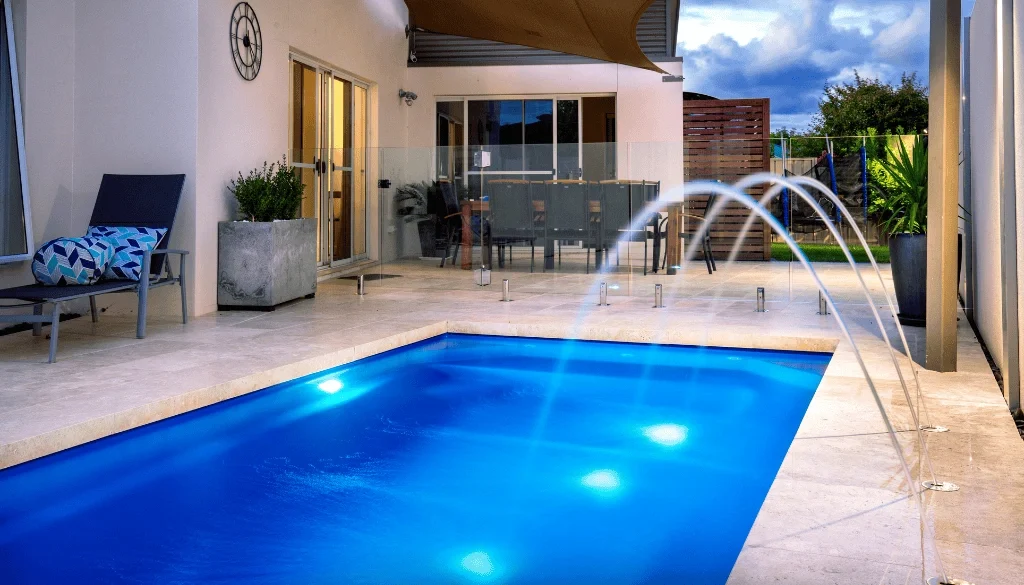
Pool lighting is a simple function to automate, yet it has an outsized impact on how the backyard feels at night. At a basic level, automation can turn pool lights on and off on a schedule, so you’re not walking out to the panel or forgetting them overnight. For pools with color-changing LED lights, some automation systems can coordinate color shows or themes, but that depends on whether the lights and controller are designed to work together, because color programming methods vary.
A smart approach is to treat lighting automation like “scene management.” You can set an evening swim schedule, create a short “arrival” window that turns lights on before you step outside, or build an entertaining mode that includes lights and water features together. Even if your system only supports on/off control, that alone adds convenience, improves consistency, and reduces the small daily friction that comes with manual switching.
Valves, Water Features, And Spa Functions
If your pool has a spa, waterfalls, bubblers, deck jets, or multiple return zones, valve control is where automation can shine—because these features often require both equipment power and plumbing routing. Automation can move motorized valves to direct water where it needs to go, then activate the right pump speed or feature relay so the effect actually works as intended. In many pool-and-spa setups, “Spa Mode” is essentially a coordinated sequence: adjust valves, confirm circulation, and then enable heating and jets.
This coordination also supports safer, more predictable operation, because certain equipment—especially heaters—generally needs proper water flow to operate correctly. While exact safety features depend on equipment, the broader point is factual: coordinated control reduces the chance of running something in the wrong order. It also makes complex pools easier to use, because you’re pressing one button instead of managing multiple switches and valves manually.
Monitoring And Remote Control: What You Can See From Your Phone
Remote access is often the first feature people think of, and for good reason: it lets you check what the pool is doing without physically being at the equipment pad. Many systems provide status visibility such as whether the pump is running, what mode is active, and what the current temperature target is set to. Some systems also provide alerts or notifications for certain issues, but the specifics vary widely by manufacturer and setup, so it’s best described as “possible” rather than guaranteed.
In real-world use, remote control is less about constantly tweaking settings and more about preventing small problems from turning into weekend headaches. If weather changes, guests are coming over, or you want to heat the water ahead of time, you can adjust schedules or activate a mode without going outside. When installed correctly, this adds convenience while also supporting operational consistency, because you’re less likely to skip steps or forget a setting change.
Convenience And Maintenance Benefits You Actually Feel
Automation doesn’t eliminate maintenance, but it does reduce the number of “manual touchpoints” required to run the pool consistently. When circulation, heating windows, and lighting schedules happen automatically, you spend less time on routine switching and more time focusing on higher-value upkeep like water testing, filter maintenance, and brushing. In Sterling, VA’s changing shoulder-season weather, reliable schedules also help prevent the pool from falling behind when warm days and cool nights arrive in the same week.
Here are a few day-to-day wins pool owners commonly notice once schedules and modes are dialed in:
- Fewer forgotten tasks during busy weeks. When your pump run times and lighting are scheduled, the pool keeps operating even when life gets hectic. That consistency helps prevent the “we missed a few days and now the water looks off” cycle, because circulation doesn’t depend on memory, and you’re less likely to make last-minute, guesswork changes.
- Cleaner, steadier water behavior over time. Automation supports consistent circulation and predictable heating windows, which can make the pool feel more stable from one day to the next. While water chemistry still matters most, reducing big swings in pump operation can help keep debris moving to the filter and minimize the stop-and-start pattern that often shows up with manual control.
- Simpler pool-and-spa use for households. Instead of teaching everyone which valves to turn and what sequence to follow, automation turns “use the spa” into a single mode selection when the equipment supports it. This reduces user error, helps protect equipment from misuse, and makes the pool easier for guests or family members to operate confidently.
Efficiency Benefits: Where Automation Can Save Money
It’s important to keep efficiency claims factual and grounded: automation doesn’t automatically reduce energy use by itself, but it can help you run equipment more intelligently. For example, if schedules prevent unnecessary runtime, or if a variable-speed pump is programmed to run at lower speeds for routine circulation, energy use may be reduced compared to running higher speeds longer than necessary. Likewise, heating can be limited to windows that match your swim schedule, rather than staying enabled all day.
Pro Tip: If you’re installing automation and you have (or plan to upgrade to) a variable-speed pump, ask for a schedule that uses multiple speeds for different needs—lower for everyday circulation and higher only when required for features or cleaning. This approach is often more efficient than running one “catch-all” speed, and it can also reduce noise while still meeting circulation needs, assuming your pool’s hydraulics and equipment are set up appropriately.
Choosing The Right Pool Automation System
Choosing automation is less about chasing the most features and more about selecting a system that matches your equipment, your pool’s complexity, and how you actually use the backyard. Compatibility is a real technical constraint, because not every heater, pump, or lighting system communicates the same way, and certain advanced features require specific wiring or add-ons. Ease of use matters as much as capability, because a system that’s confusing often ends up underused, which defeats the purpose of installing it.
A practical selection process usually includes a compatibility and needs checklist like this:
- Confirm what you have today, not what you assume. Identify the pump type, heater type, light type, and whether you have pool/spa valves or water features that require separate control. This matters because some devices are best controlled by relays, while others work best through supported communication links, and not every combination behaves the same in automation.
- Prioritize the controls you’ll use weekly. If heating and pump scheduling are the daily drivers, choose a system that makes those features easy to set, adjust, and override. A clean interface and reliable scheduling tend to deliver more real value than niche features you may only touch once a season, even though those extras can sound impressive on paper.
- Plan for expansion if you’re upgrading later. If you expect to add a spa, water features, landscape lighting, or new LED lighting in the future, selecting a controller that can expand—through additional relays or valve outputs—can prevent a “rip and replace” scenario later. Expansion only helps if you truly plan to grow, so it should be intentional rather than automatic.
Installation Overview: What To Expect
A proper automation installation is part electrical work, part equipment integration, and part programming. The installer evaluates the equipment pad, identifies what needs relay control versus digital communication, and confirms safe wiring and proper load handling. If valve actuators are required, they’re installed and configured so modes like pool/spa can be controlled consistently. Wi-Fi or network requirements are also assessed for systems that offer app control, because weak connectivity near the equipment pad can undermine remote access features.
After the hardware is installed, programming and owner training are what make the system truly useful. Schedules, setpoints, and modes are configured to match how you actually swim, not a generic template. You should expect a walkthrough that includes how to run “normal” mode, how to use overrides for parties or weather changes, and how to revert settings if someone makes an accidental adjustment. Residential Pool Services LLC treats this step as essential, because good programming is the difference between “we have automation” and “automation is actively making pool ownership easier.”
Common Mistakes To Avoid With Pool Automation
Most automation disappointment comes from mismatched expectations or skipping the planning stage, not from the idea of automation itself. The most common issues are preventable: buying a system that doesn’t fully support your equipment, overcomplicating schedules, or placing the system in a situation where connectivity is unreliable. When those problems show up, the pool may still run, but the owner loses the convenience and coordination that make automation worth it in the first place.
Here are avoidable mistakes we see most often:
- Skipping compatibility checks before purchasing. Not all pumps, heaters, and lights integrate the same way, and some features require specific add-ons or interfaces. Verifying compatibility up front prevents situations where a system can only do basic on/off control when you expected full scheduling or mode-based coordination across multiple components.
- Creating schedules that are too complex to maintain. It’s tempting to build a highly detailed program, but if it’s hard to understand, it’s hard to troubleshoot. A clean schedule with a few intentional modes is often more reliable than dozens of overlapping events, especially when multiple household members might adjust settings.
- Ignoring Wi-Fi or network realities at the equipment pad. App control is only as good as the connection that supports it. If the pad is far from the router or blocked by construction materials, remote access may be inconsistent. Planning for signal strength or network solutions helps ensure the “from anywhere” promise works in real life.
When Pool Automation Makes The Most Sense
Automation is most valuable when a pool has multiple systems to manage or when the owner’s schedule makes manual operation inconvenient. If you regularly adjust heating, use lighting at night, switch between pool and spa, or run water features, automation can replace frequent trips to the equipment pad with a simpler routine. Even for simpler pools, scheduling can reduce the chance of skipped circulation, which helps keep operation consistent when life gets busy.
You’re often a good candidate for automation if the following sound familiar:
- You want dependable pump schedules without manual switching.
- You use a heater and want predictable temperature control.
- You have a spa or water features with multiple valves.
- You travel, entertain, or manage the pool remotely.
- You’re upgrading equipment and want modern controls.
Conclusion: A Smarter Way To Run Your Pool
A pool automation system can control the core functions that shape daily pool ownership—pump scheduling, heating, lighting, and, in many setups, valve-driven modes and water features. The biggest practical benefits are convenience and coordination: fewer manual steps, more predictable operation, and easier adjustments when plans change. The key is choosing a system that fits your equipment and programming it in a way that matches how you actually use your pool.
If you’re considering pool automation in Sterling, VA or nearby areas, get in touch with Residential Pool Services LLC to discuss compatibility, feature priorities, and an installation plan that keeps your pool simple to run all season long.